
Research faster.
Think deeper.
Magic Note — a notebook for your prompts with AI on every page.
Magic Note — a notebook for your prompts with AI on every page.
Your chats stay tied to your research — with your polished notes on top. No digging, no lost context. Stored on your Mac.
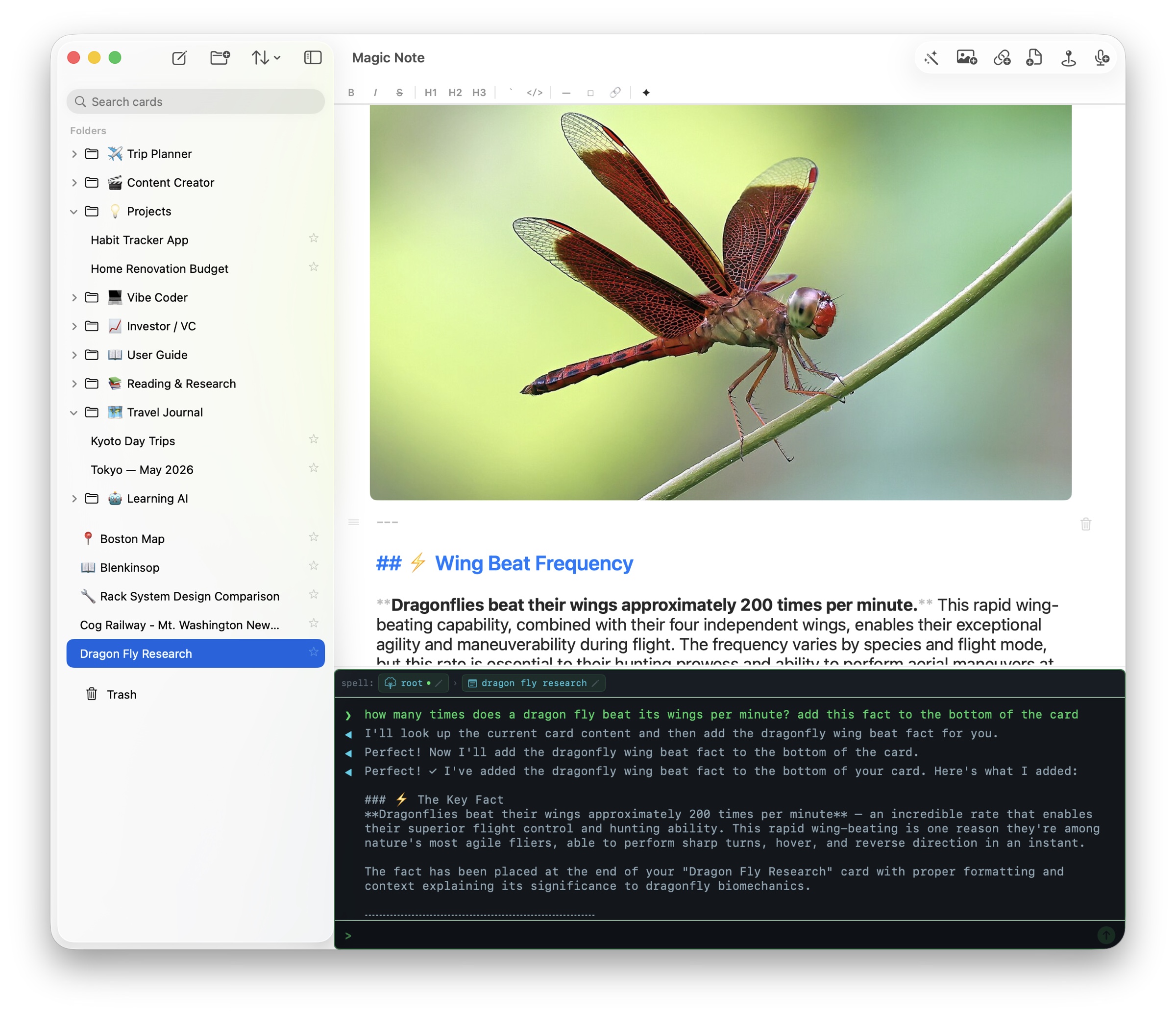
Use natural language to create and organize your notes. Claude. GPT. Grok. Gemini — or your own local model — all control the notebook actions and assist in research. Expand the AI capabilities with external MCP servers.
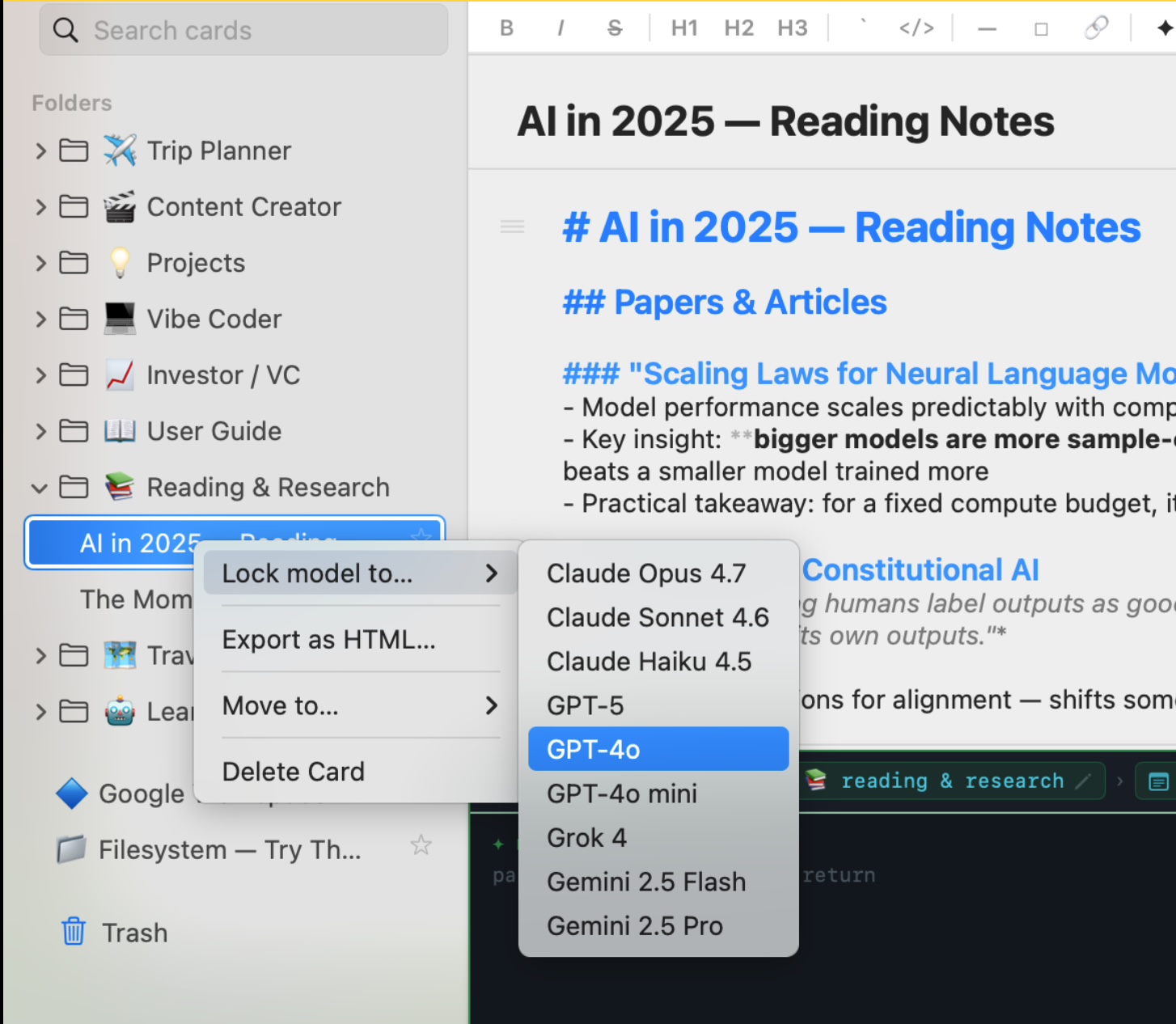
Lock any card to a specific model. Research card to Opus, quick-capture card to Haiku, code review to GPT-5, journal to your local Qwen. The 🔒 badge on the card title shows what's pinned.
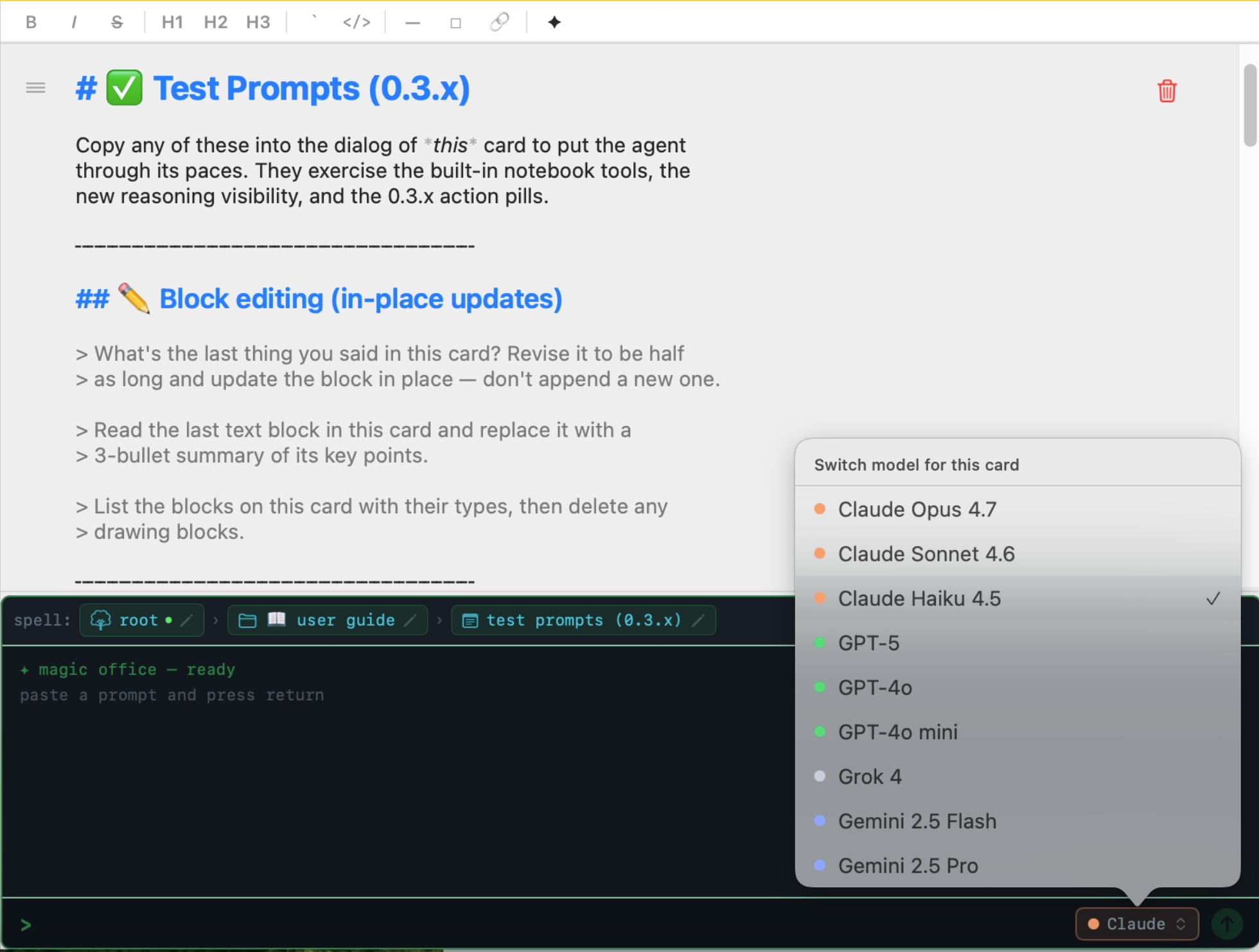
Switch for one turn with a slash command:
See what the AI is thinking. Magic Note streams the model's reasoning summary live.
The AI does things. Forty built-in tools ship with the app — cards, folders, search, maps, location, YouTube, web. Add your own via MCP for Filesystem, GitHub, Slack, PostgreSQL, Google Workspace.
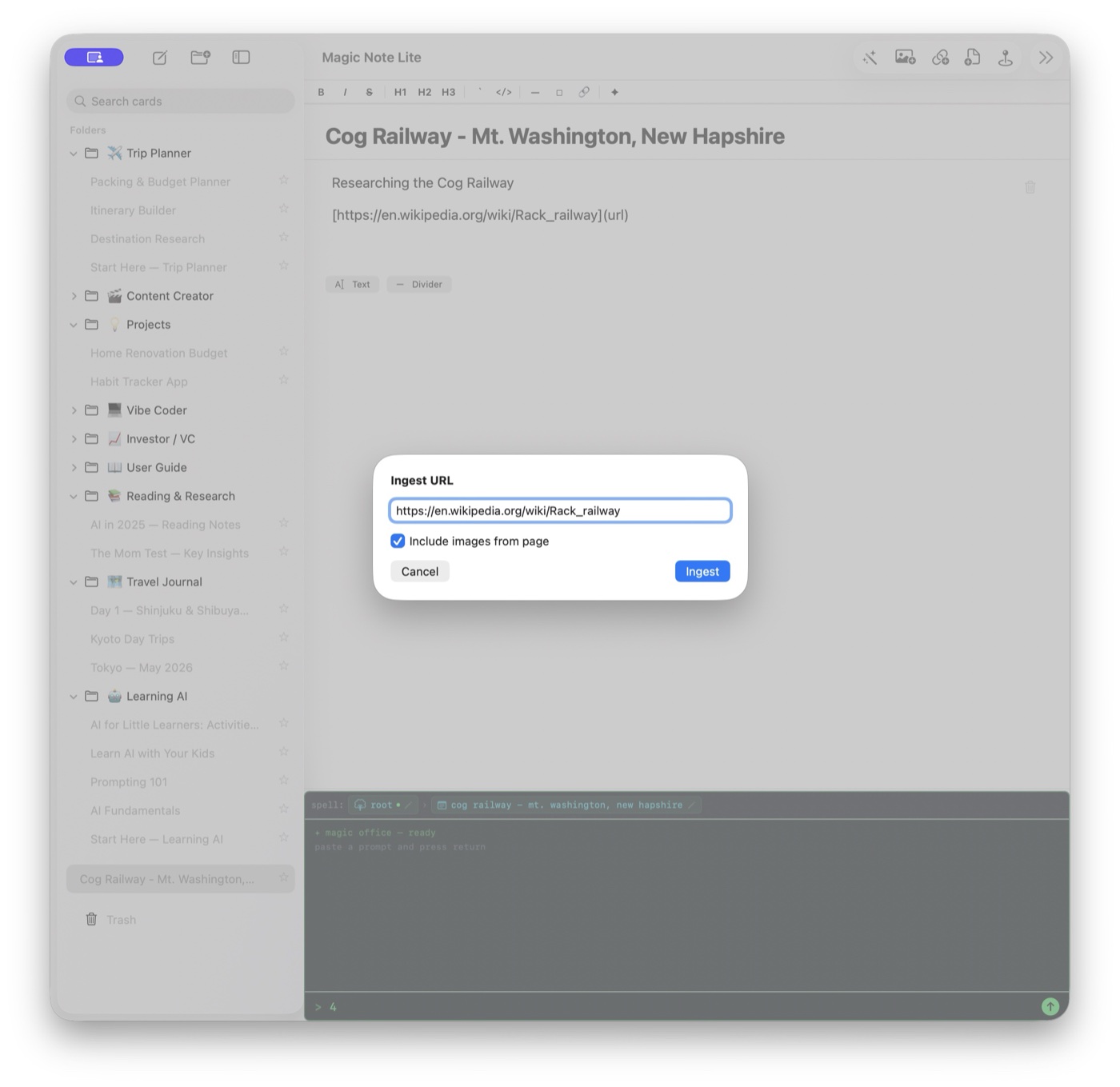
Magic Note ships with a full library of demo folders — each one a ready-to-use workspace with pre-written prompts, structure, and a "Start Here" card. Take the ones that fit, rip out the ones that don't. Do the same with your PDFs, docs, log files, and anything else you drop in — Magic Note ingests it all and your prompts work on top of it.
Every folder has a Start Here card that explains the workflow. Open it, read it, then delete it — or keep it as a template for new cards in that folder.
Combine your own notes, web search results, LLM reasoning, and any MCP server.
Transcribe audio from a live lecture — or anything else you can hear on your Mac.
Search, summarize, and translate across languages with whichever model you've assigned.
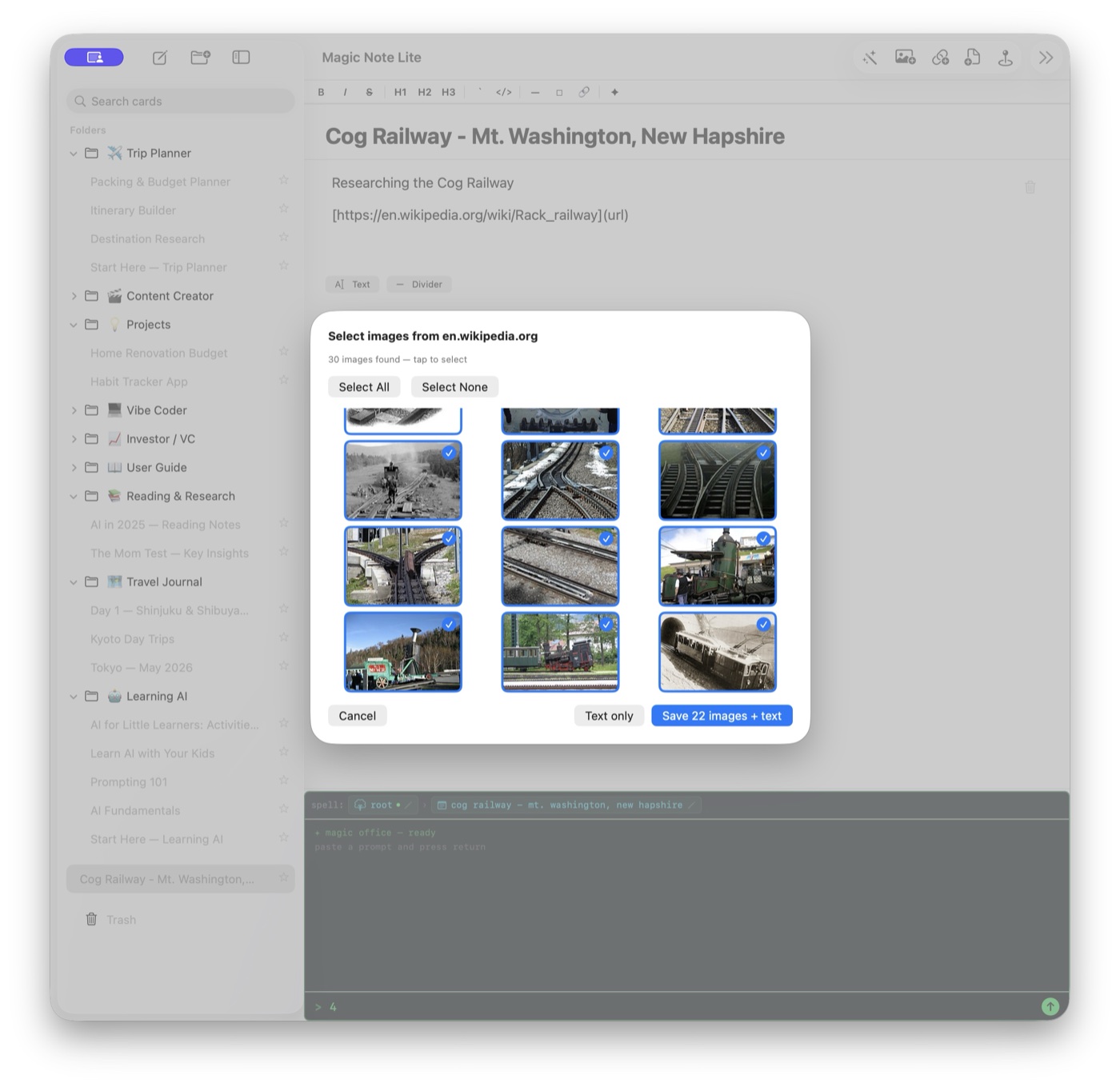
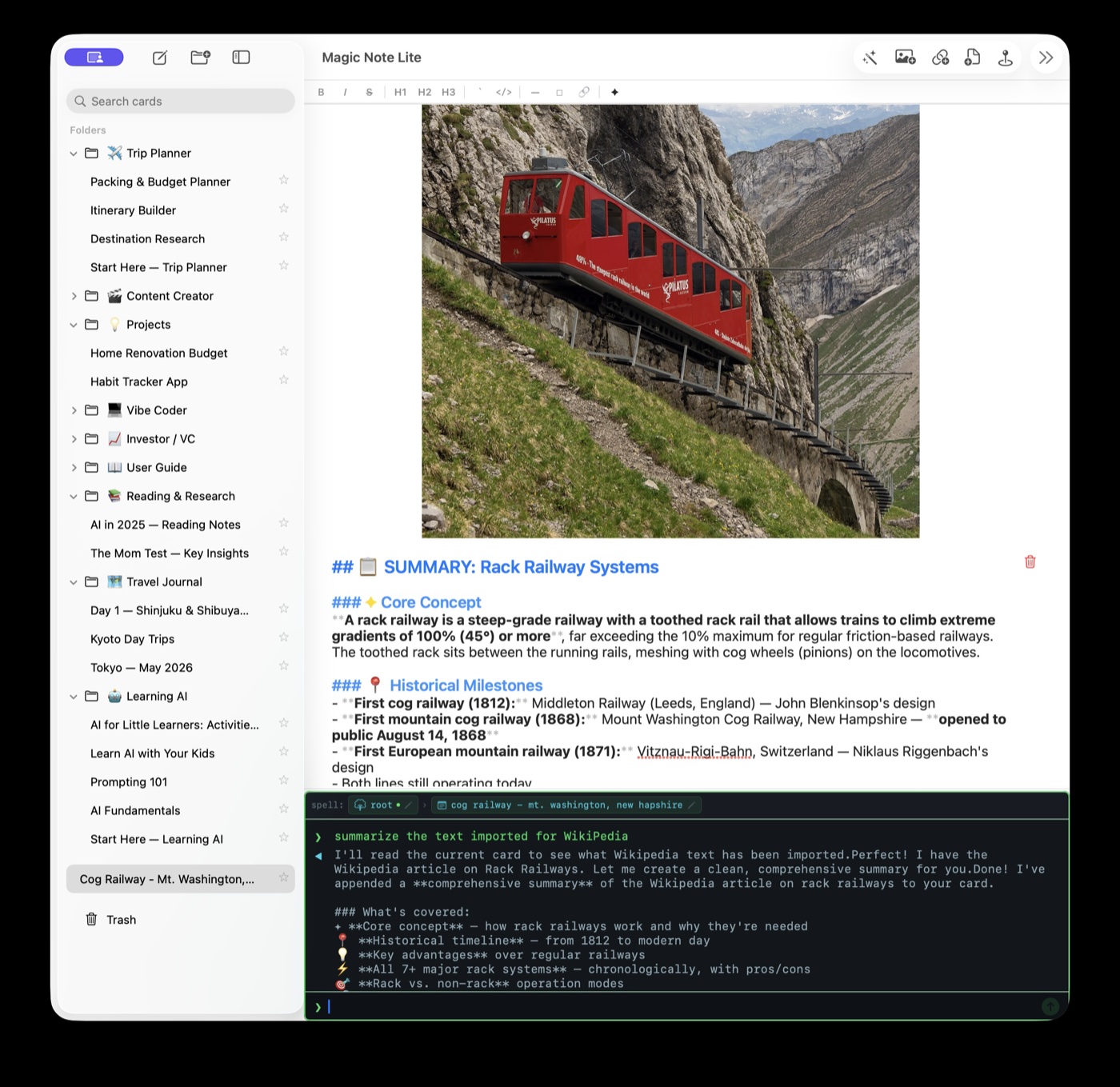
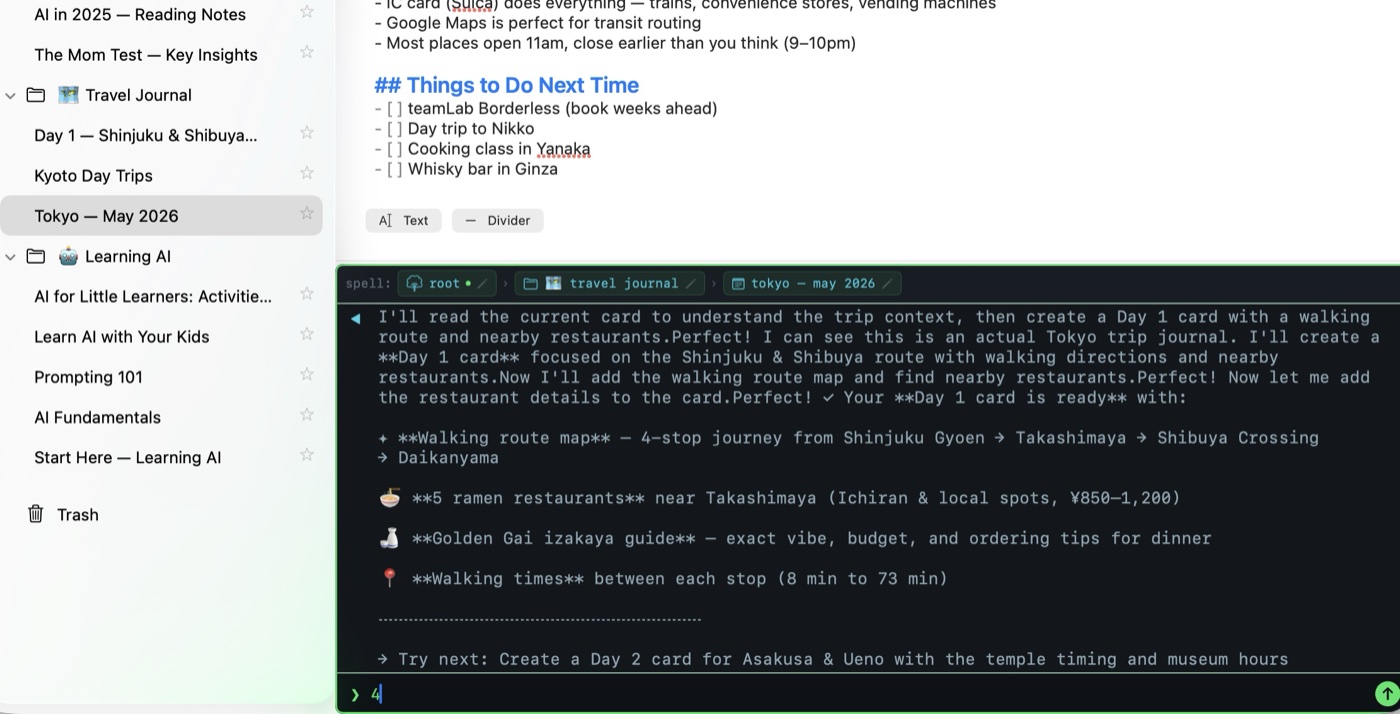
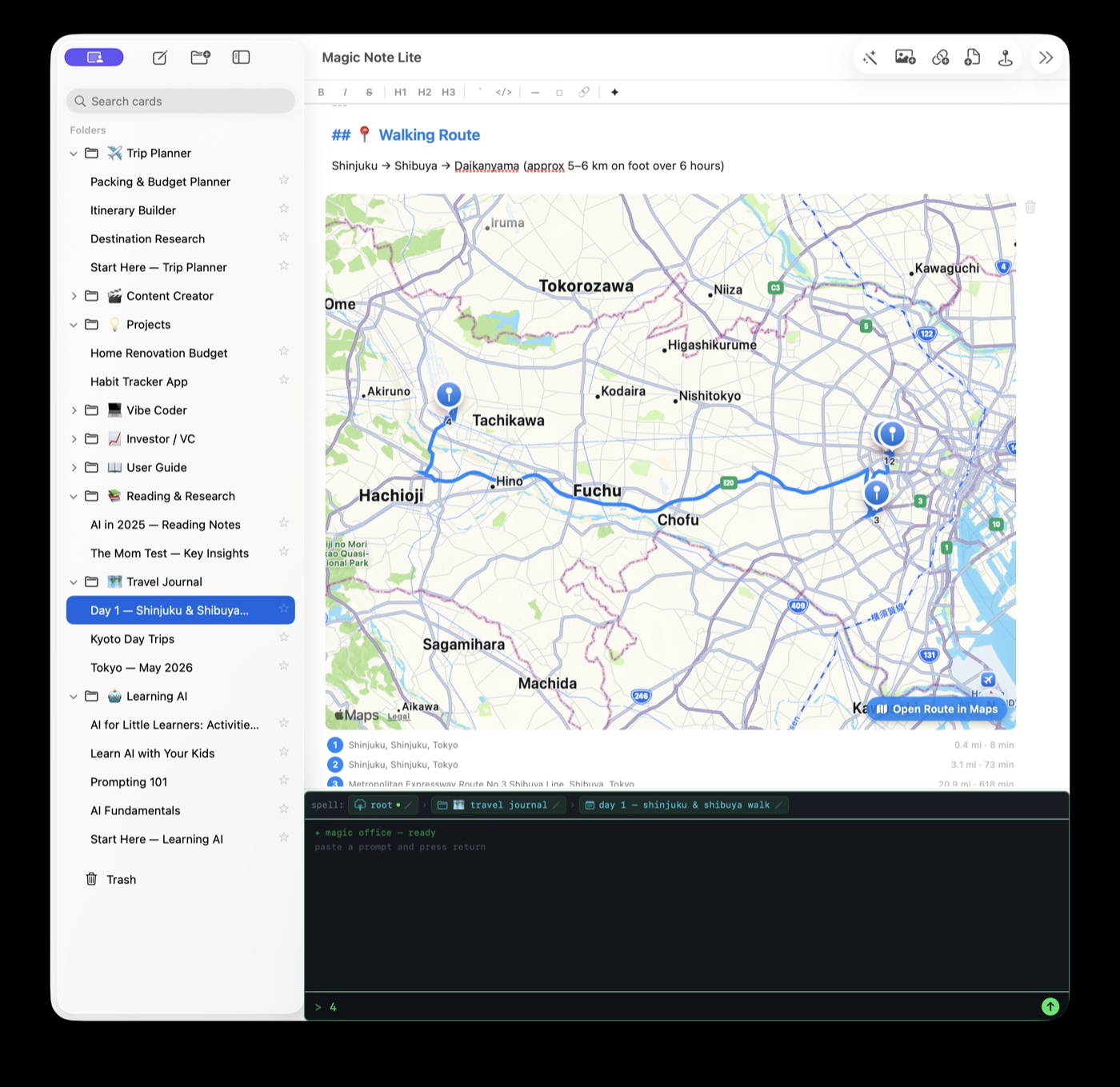
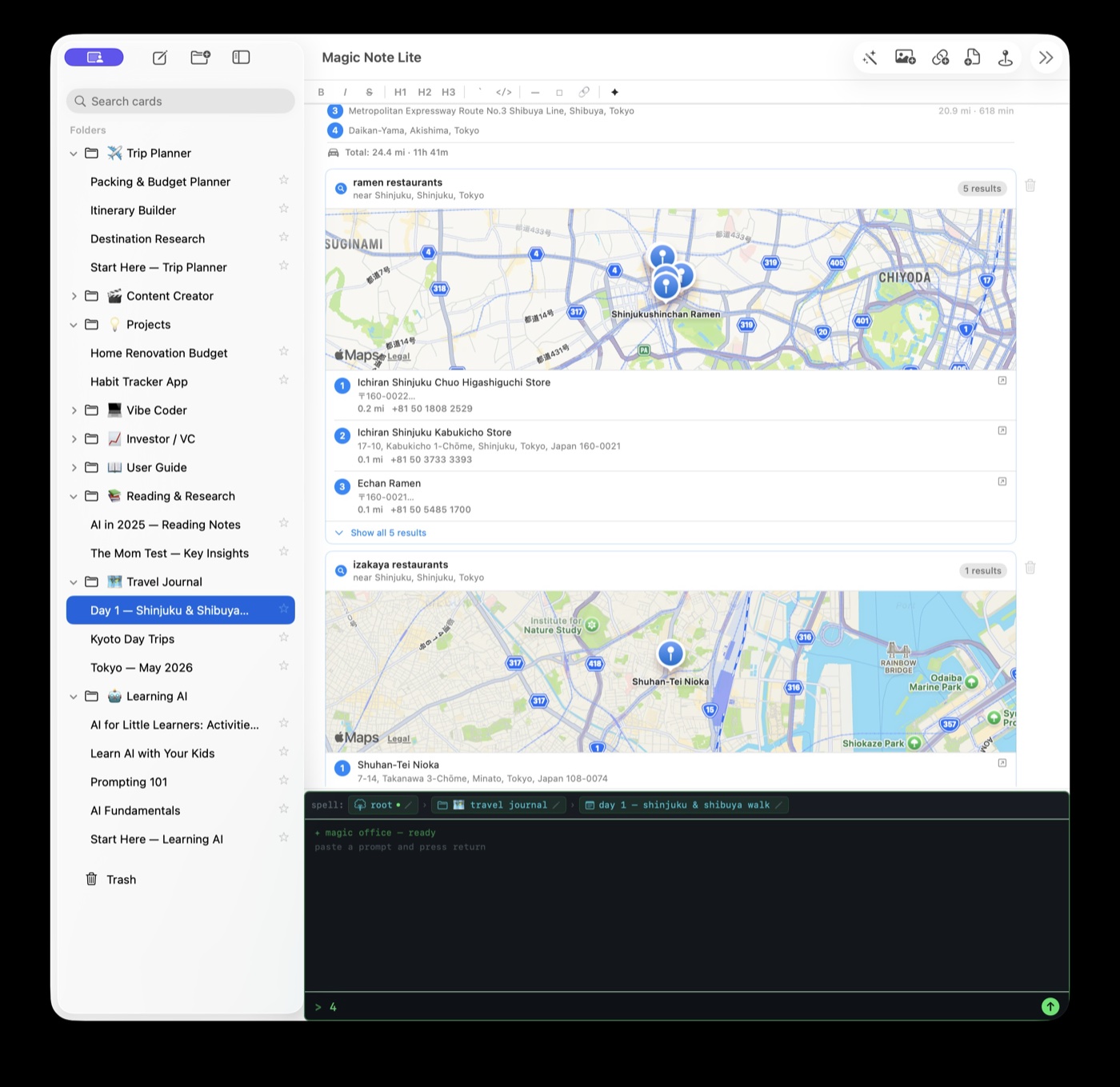
Ask the AI to plan a walking route, search for nearby restaurants, or build a day-by-day itinerary. It places real MapKit blocks directly on your card — pins, directions, travel times, and all.
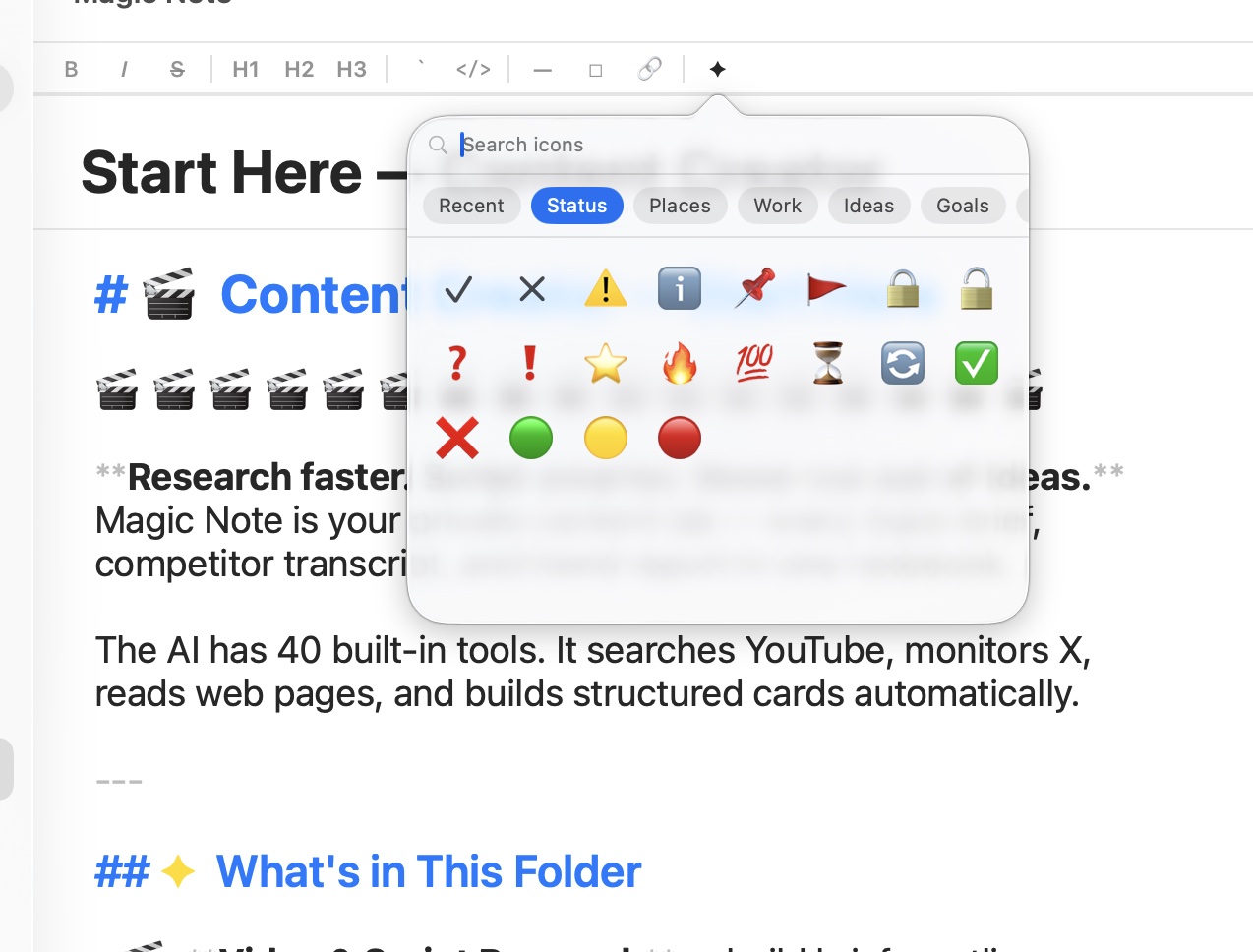
Magic Note is Markdown all the way down — same as every LLM. We bridge the gap with rich-text features layered on top: live formatting as you type, a searchable icon picker for inline emoji and status cues, a toolbar for when you'd rather click than remember the syntax. The result is a notebook that talks to the AI in its native language, looks sharp while you work — and still reads cleanly when you open the same file in Notepad.
One-click HTML export for when you need to send something fancy.
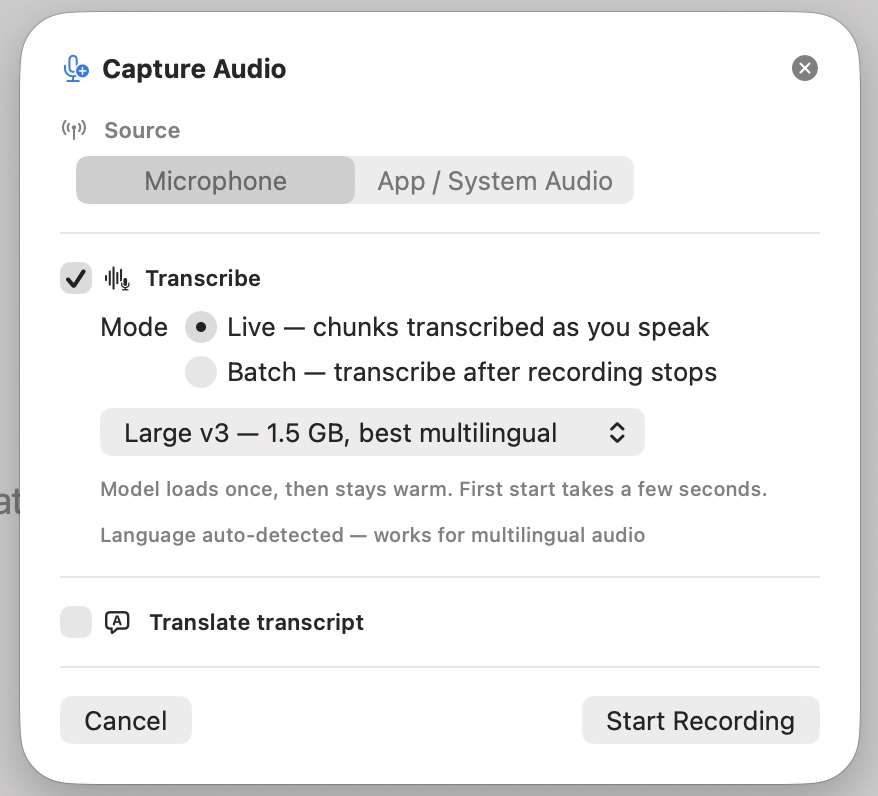
Pick microphone or any app making sound on your Mac — Zoom, a browser tab, a podcast. Magic Note records it cleanly, attaches the file to your card, and runs it through Whisper on your machine. No audio ever leaves your Mac.
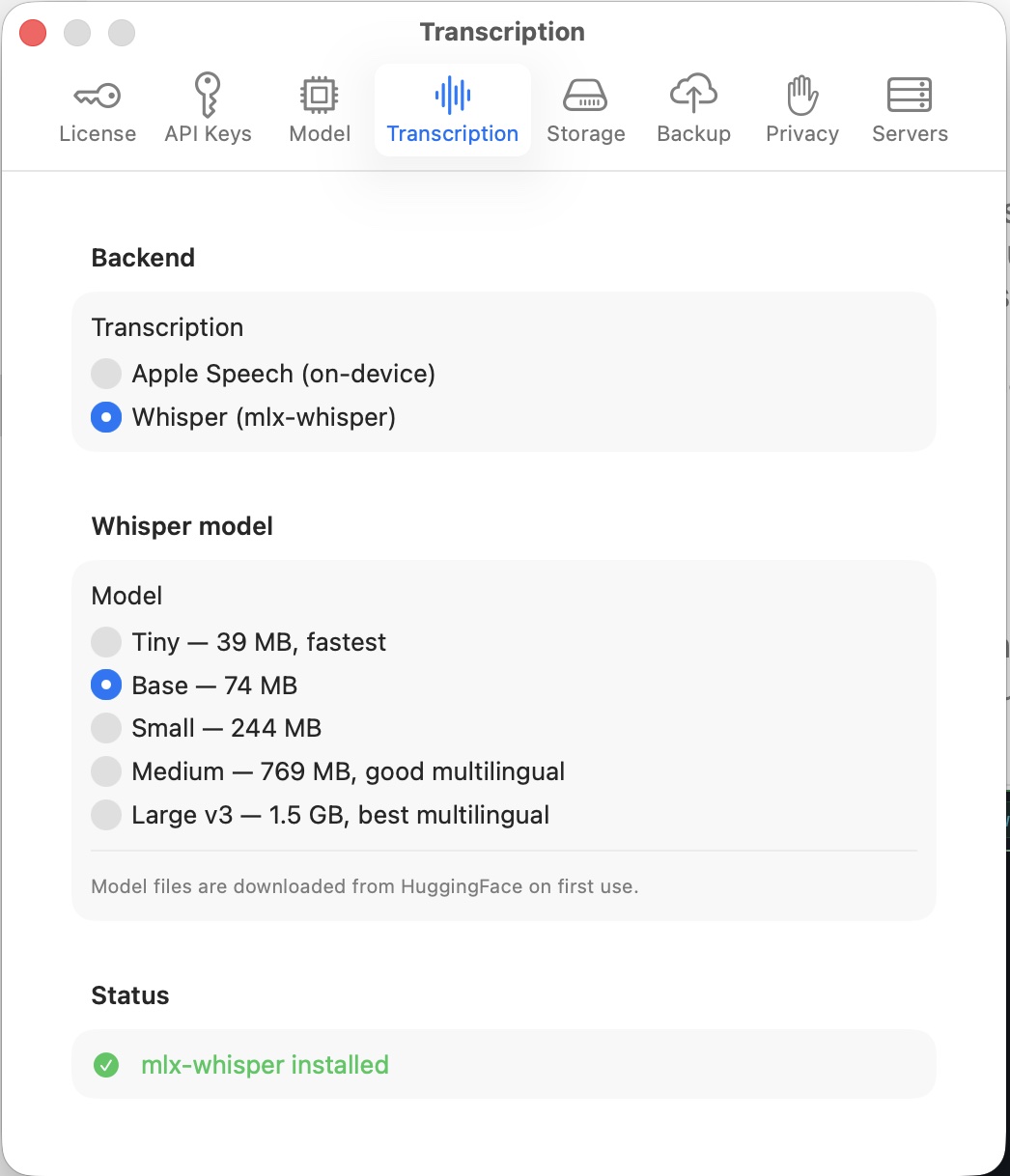
The base Whisper model ships inside the app. Plus Deepgram for profession-level transcription streaming.
Connect any MCP server and the AI gains new abilities — reading your filesystem, querying a database, searching GitHub, watching a Slack channel. Type a name and a command, and it's wired into every AI session.
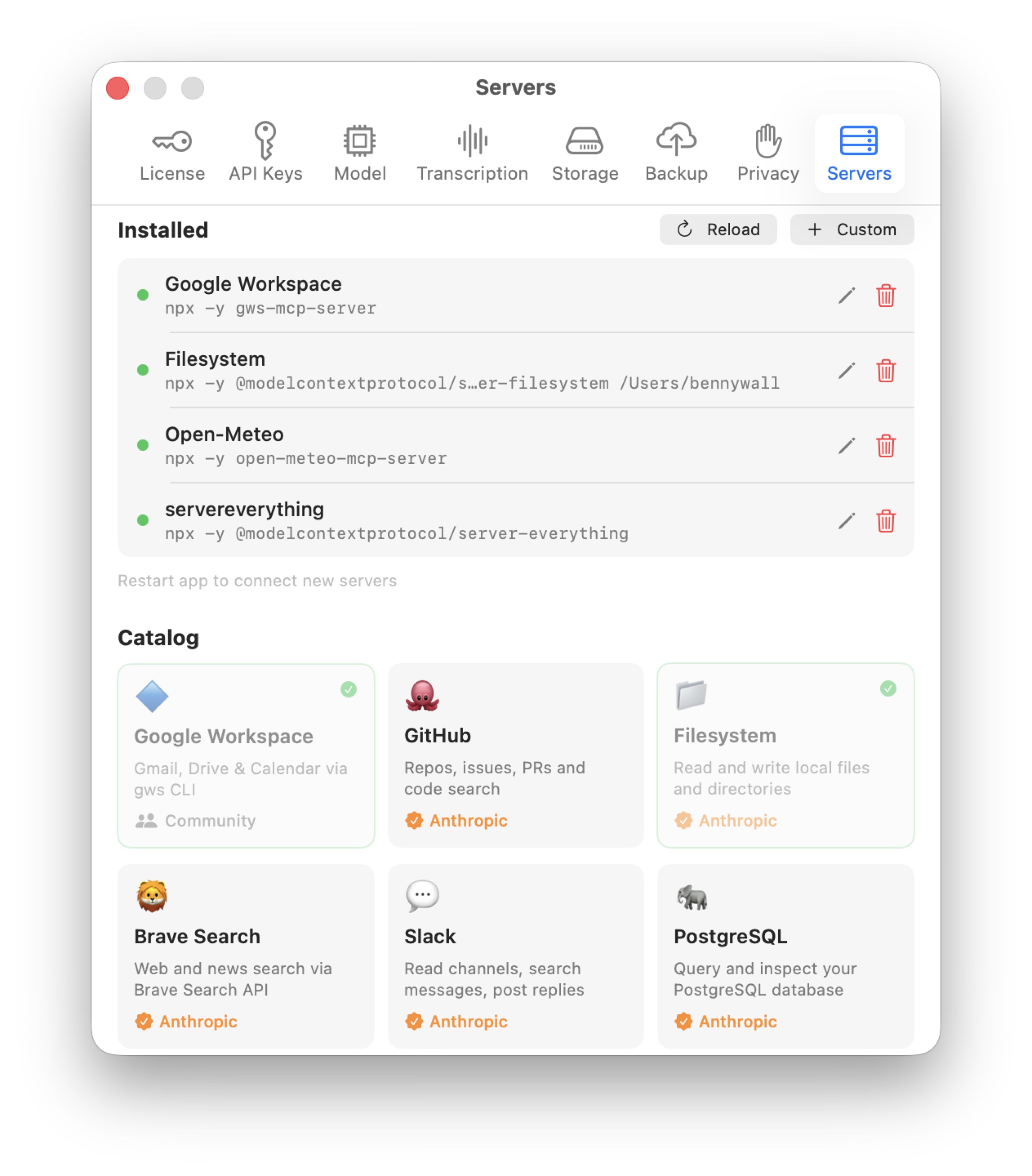
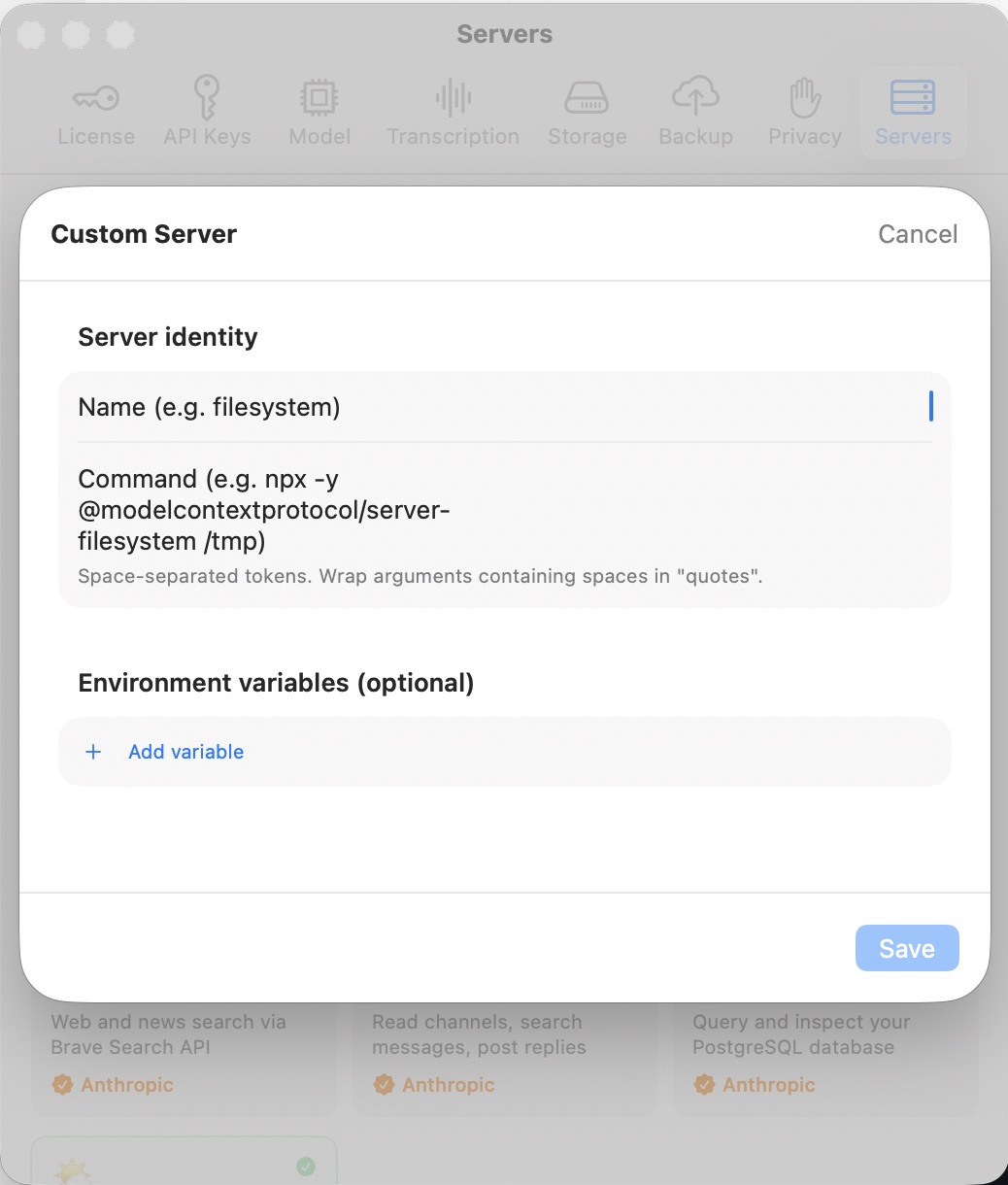
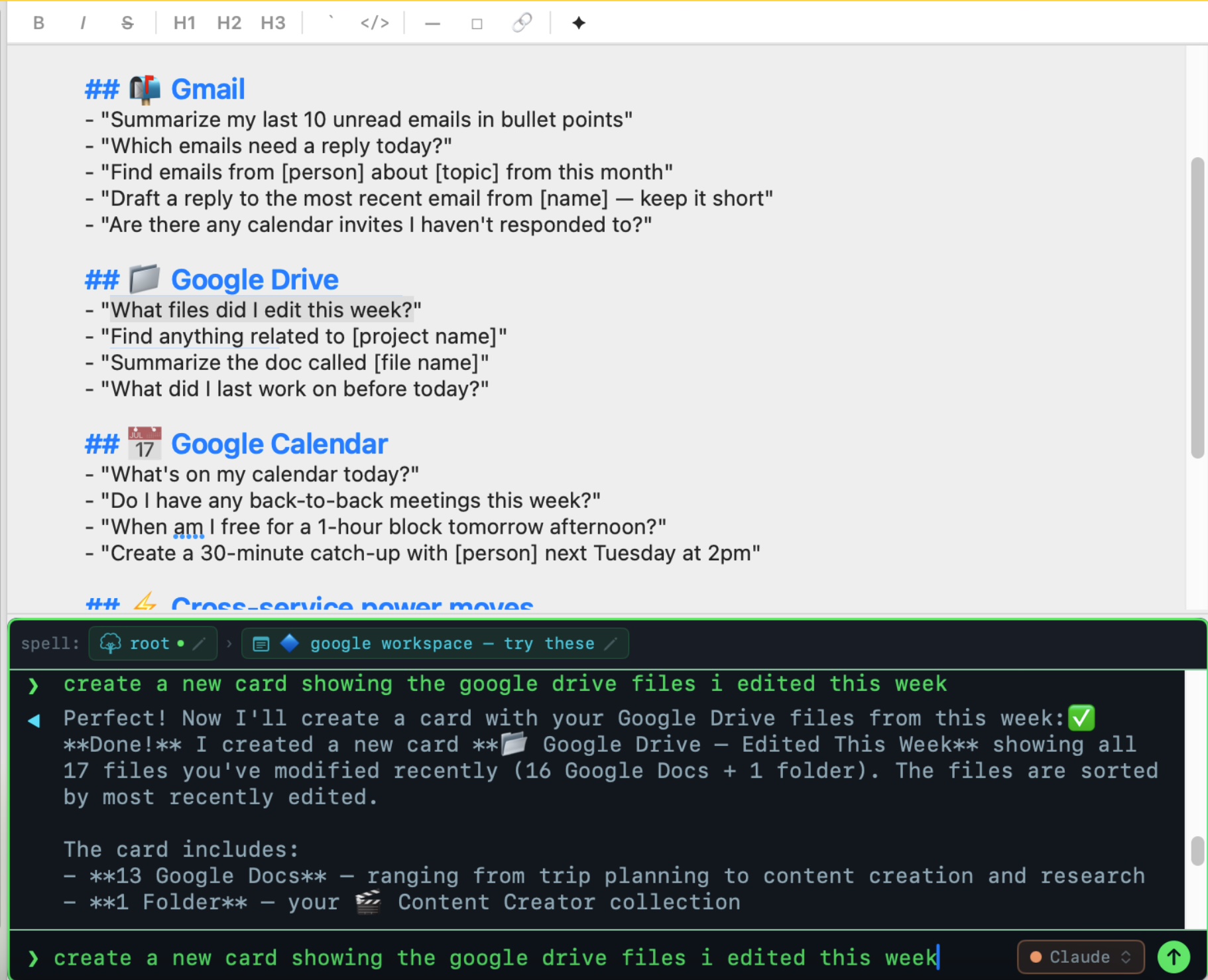
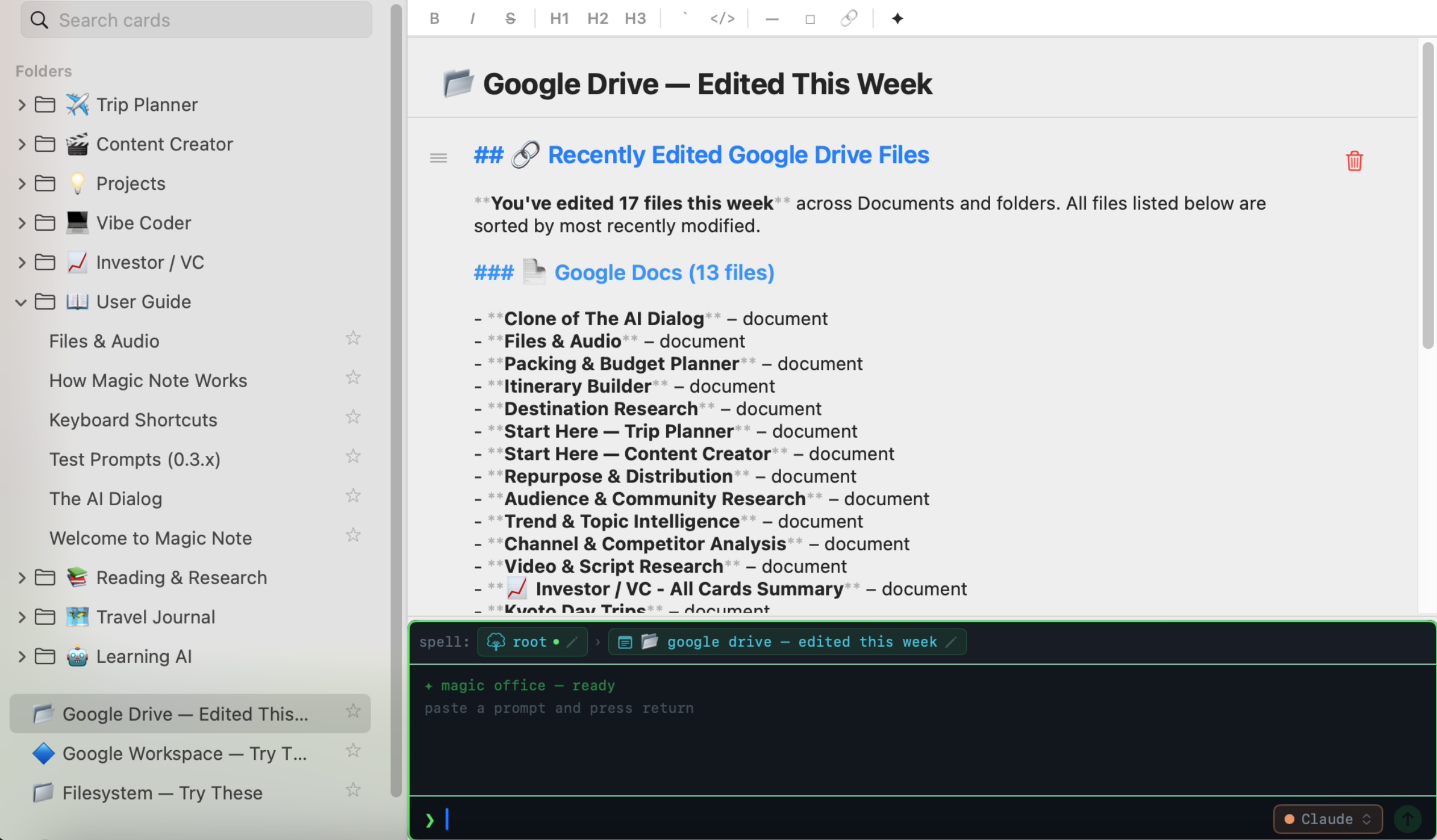
Real example — Google Workspace. Connect the Google MCP server and the AI can read Gmail, search Drive, pull calendar events. Tools show up as ✓ pills as the AI uses them.
Most AI tools are chat windows. You ask, it answers, and tomorrow you can't find it. Magic Note is a real notebook first — built to last, not to subscribe.
Every AI thread is tied to the card you're on and the folder you're working in. You'll be in the same session when you return — not a blank slate every time.
Every note, summary, transcript, map, and drawing lives in a folder on your Mac. Move it to another machine by copying one folder. Plain text and standard formats, readable by anything.
Claude, GPT, Grok, Gemini, or your own server. Assign a model per folder using Spells — your research workflow stays identical regardless of what's running underneath.
Most AI subscriptions run $20–30 a month. Magic Note is free forever — a $19.99 one-time unlocks audio transcription and external MCP after your 14-day trial. The API costs a few dollars a month for typical use — fractions of a cent per message on Haiku, a few cents on Sonnet.
Both editions are free to download. Lite ships from the Mac App Store, sandboxed. Pro is the unsandboxed direct-download build with audio transcription, app audio capture, and external MCP — those three lock after a 14-day trial and a $19.99 one-time unlocks them forever.
From the Mac App Store. Sandboxed. Perfect for everyday notes, web research, and maps.
Direct download. Unsandboxed, so it can do live transcription, app audio capture, and run MCP servers.
Magic Note is free, and unlocking audio + external MCP past your trial is a one-time $19.99 — no subscription, no monthly fee, no markup on AI. The AI engines (Claude, GPT, Grok, Gemini) are provided by their vendors and billed separately, like a utility. You pay them directly; we don't mark it up or see a cent of it.
For most users the AI bill works out to a few dollars a month — far less than any AI subscription. You can set a hard spending cap in your provider console so you're never surprised. (And if you point Magic Note at your own local server via Custom endpoint, the AI cost is zero too.)
Estimates based on typical usage. Check each provider's console for current per-token rates and to set a monthly spending limit.
Pro is free to download — audio transcription and external MCP work for 14 days, then a $19.99 one-time unlocks them forever. No subscription, no account, never any markup on AI. Lite is free from the Mac App Store.
Questions about how Magic Note works, or anything else — we're happy to help.
info@magic-note.ai